
Supertitle
Watch films in Spanish and understand every word. Subtitles sit over any video in your browser — Click a word and its meaning, its grammar and the form you just heard appear, without leaving the film to go and look it up.
Free for 7 days. macOS 14 or later. No account, no sign-up.
Ready to be immersed?
Learn by watching the shows and films you already love.
Stop pausing to look things up.
Reading subtitles teaches you the plot. Looking a word up teaches you the language — but by the time you have switched apps, typed it out and come back, you have lost the scene. Supertitle puts the answer where the word is.
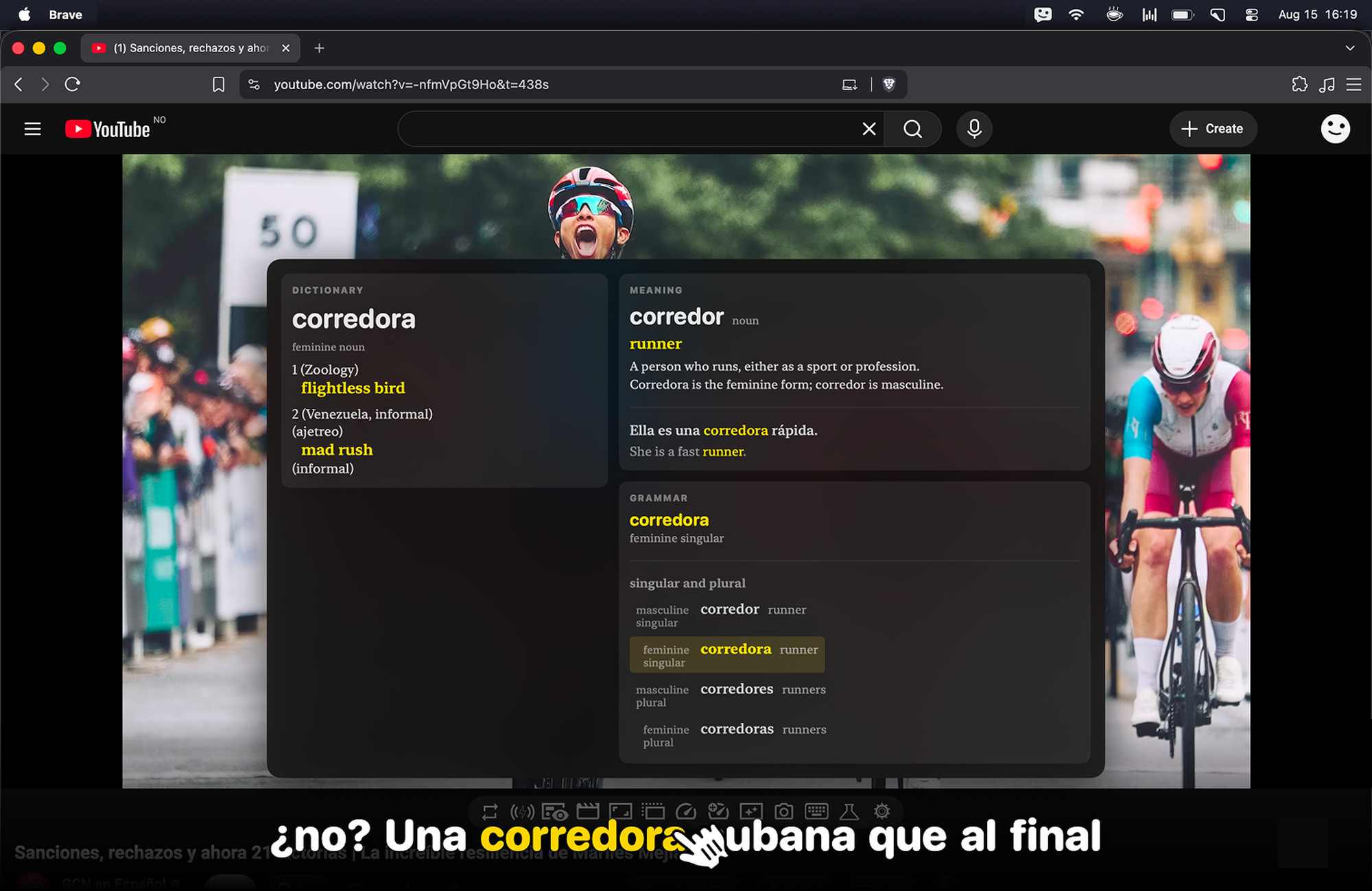
Click any word
The card opens beside the subtitle with the macOS dictionary entry on the left, and what the word means in this sentence on the right. No key to hold, and the video pauses itself while you read.
The grammar, not just the gloss
Every conjugation table you would have gone looking for, with the exact form you just heard highlighted in it — so you can see where vuelvo sits in volver without a detour.
Works where the films are
An overlay on top of your browser rather than a player of its own, so it runs against the streaming sites you already pay for — including the ones whose video is locked down.
Stays in sync
It reads the playhead straight from the browser, so the line on screen is the line being spoken. Nudge the offset once if a track runs early and it remembers, per video.
Seven languages.
Subtitles are found and downloaded for you from OpenSubtitles — no account of your own, no hunting through download sites, no files to drag anywhere.
One click, and you know.
No pausing to type a word into a translator, no losing the scene while you do it. Click, read, carry on.
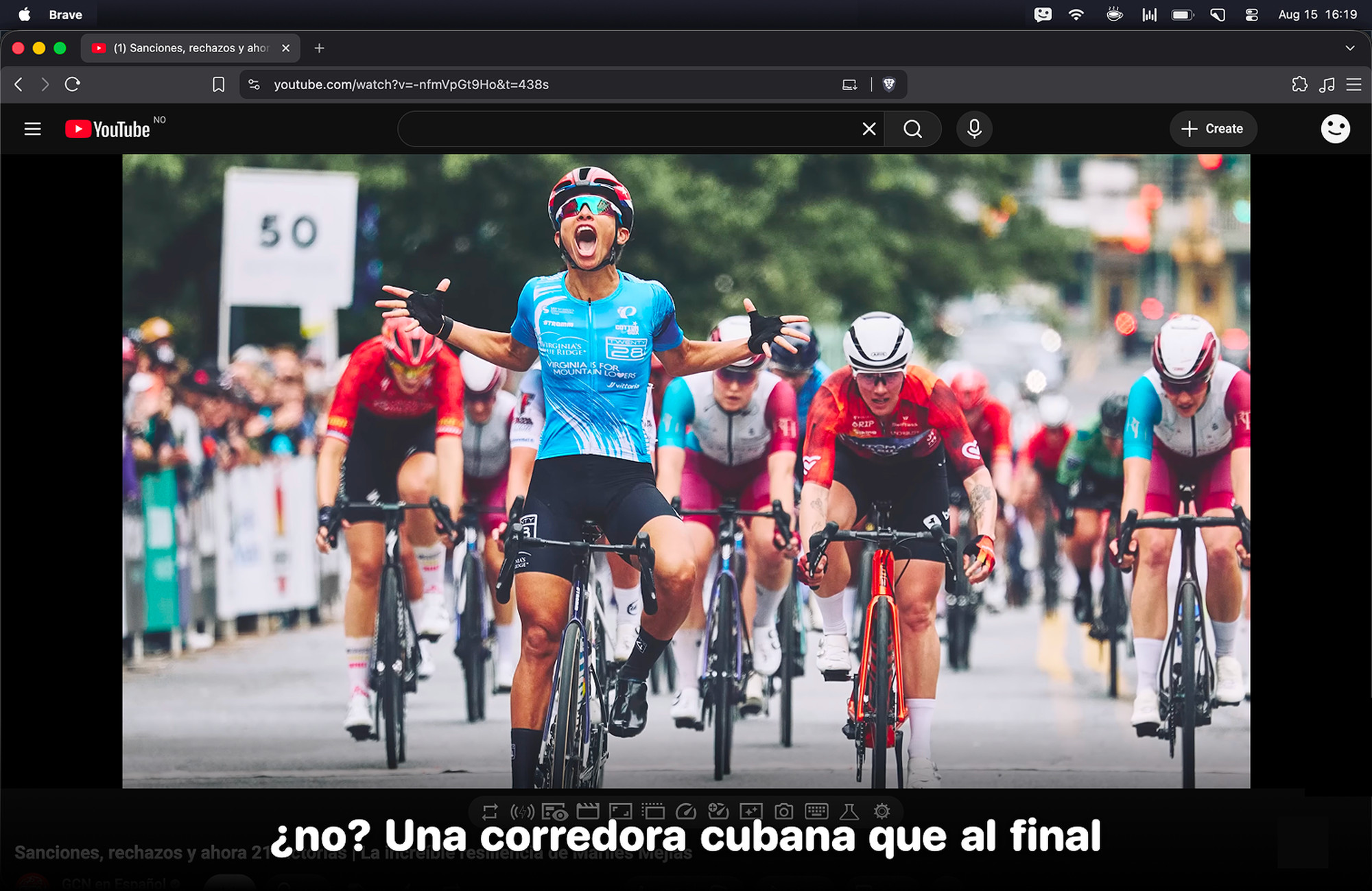
Works where you already watch.
Supertitle sits over your browser rather than replacing your player, so it runs against the sites you already pay for — including the ones whose video is locked down and publishes no subtitle track to read.
How we find the subtitles
On YouTube it reads the captions the video already carries. On Netflix and HBO Max it works out which programme — and which episode — is playing, and fetches a matching track. Everywhere else the overlay and the word lookups work exactly the same; it will still try to find subtitles from the page's title, and you can always open a file yourself.
Supertitle is an independent app. It is not an official partner of, affiliated with, sponsored by or endorsed by YouTube, Netflix, HBO Max or any other service named on this page. Those names and marks belong to their respective owners, and are used here only to say where Supertitle works.
Somewhere it doesn't work?
Tell me and I'll add it. I'm Alex — I make Supertitle, and adding a site is usually an evening's work once I know which one you want.
Request a siteFour steps, once.
- Open the film in Safari, Chrome or Brave and start playing it.
- Click the menu bar icon and pick the language you are learning.
- Supertitle finds the subtitles and lays them over the video. Nudge the timing if the track runs early — it remembers per video.
- Click any word you do not know. No key to hold.
The dictionary is the one already on your Mac.
Supertitle reads the macOS system dictionary, so entries come from the same Oxford data Dictionary.app uses. Install the bilingual dictionary you want in System Settings and it picks it up.
Already pay for Claude?
Point Supertitle at your own Claude Pro or Max subscription, or at your own API key, and the explanations cost you nothing extra. Or buy the tier where we supply the tokens and there is nothing to configure.
Try it for a week.
Everything is unlocked for seven days from the first word you look up — the full app, nothing held back. After that, pick the tier that matches how you want the explanations paid for.
Supertitle
- Subtitles over any video
- Found and downloaded for you
- Click for the dictionary entry
- Meaning in context
- Grammar tables
Supertitle + Your Own Key
- Everything in Supertitle
- What the word means here
- Full conjugation tables
- Runs on your Claude Pro / Max
- …or your own API key
Supertitle Complete
- Everything above
- Tokens on us — no API key
- No Claude subscription needed
- Nothing to configure
- Just install it and watch
Not sure? Supertitle + Your Own Key is the one to pick if you already pay for Claude. Complete is the one to pick if that sentence meant nothing to you.